
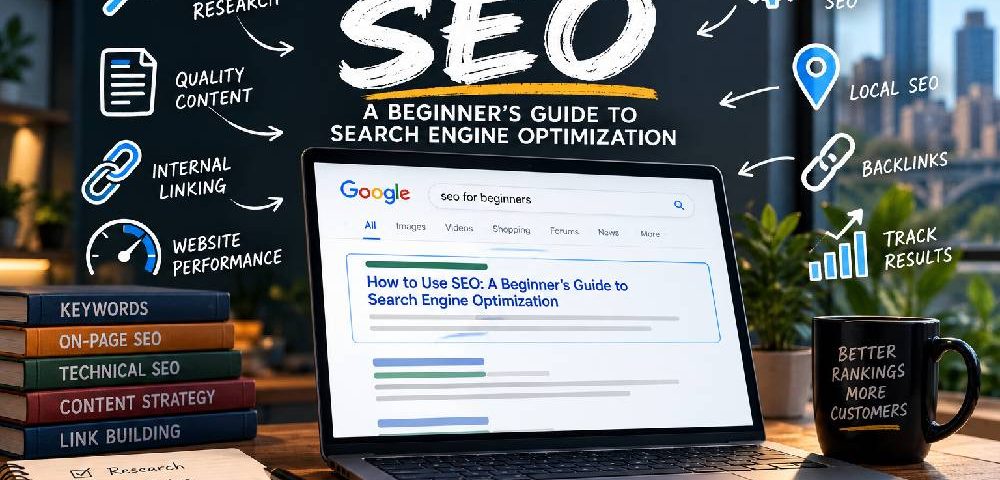
The Beginner's Guide to SEO (Search Engine Optimization)
By Daclaud Lee, SEO / AEO at Archmore Business Web
Are you new to SEO? Do you want to know more about what an SEO professional does? The Archmore Guide to SEO provides the basics of Search Engine Optimization so you understand exactly what SEO is and how it can help with your website and keyword rankings. It also gives you a better idea of what we do on a daily basis as SEO consultants and as a Digital Marketing company.
Want to get your website found on Google without paying for every click? Learning how to use SEO can help your business improve its visibility in search results, attract potential customers, and build a sustainable source of organic website traffic. In this beginner's guide to SEO, we'll explain how search engine optimization works and walk you through the essential techniques you can use to start improving your website's search performance.
What Is SEO and How Does It Work?
SEO (Search Engine Optimization) is the process of improving your website's visibility in unpaid search engine results. When someone searches Google for a product, service, or answer to a question, search engines attempt to identify and display the most relevant and useful webpages. SEO helps make your website easier for search engines to discover, understand, and evaluate while improving the experience for the people visiting it.
For example, imagine you own an automotive repair shop in Columbus, Ohio. When someone searches for "auto repair in Columbus, Ohio," you want your website to appear among the relevant search results. By optimizing your service pages, creating helpful content, improving your website's technical performance, and establishing your business's credibility, you can increase your opportunities to appear for searches related to your services. Unlike paid advertising, you don't pay Google each time someone clicks an organic search result, although implementing SEO may require investments in tools, content, and professional services.
How Do Search Engines Find and Rank Websites?
Search engines such as Google use automated systems to discover webpages, analyze their content, and determine which results best satisfy a user's search. Although the underlying technology is complex, beginners can understand the process through three fundamental stages.
- Crawling: Google uses automated programs called crawlers, including Googlebot, to discover webpages and follow links across the internet. An organized website with accessible navigation, working internal links, and an XML sitemap can help search engines discover important content. However, crawling doesn't guarantee that a page will appear in search results.
- Indexing: After discovering a webpage, Google attempts to understand its content and determine whether it should be added to its search index. During this process, Google evaluates information such as text, images, page structure, and canonical URLs. Pages with technical problems, insufficiently useful content, or duplication issues may not be indexed. Even properly optimized pages aren't guaranteed inclusion.
- Ranking and Serving Results: When someone performs a search, Google's systems evaluate indexed content and select results that appear most useful and relevant to the query. These systems consider numerous signals, including content relevance, quality, usability, and contextual factors such as location. There is no universal formula that guarantees a first-page ranking, and search results can vary between users and queries.
What Are the Three Main Types of SEO?
Although SEO involves many individual techniques, most strategies fall into three primary categories. Understanding how they work together will help you develop a more complete approach to website optimization.
- On-Page SEO focuses on improving individual webpages. This includes researching relevant keywords, writing useful content, optimizing title tags and headings, adding descriptive internal links, and organizing information so visitors can easily find what they need. On-page SEO helps search engines understand what each page covers and which searches it may satisfy.
- Off-Page SEO involves activities outside your website that can contribute to its reputation, discovery, and visibility. Relevant backlinks from reputable websites, legitimate business mentions, and industry recognition can help establish your website as a credible resource. For local businesses, maintaining accurate business information and a well-managed Google Business Profile can also support local search visibility.
- Technical SEO focuses on the underlying structure and functionality of your website. It includes crawlability, indexing controls, canonicalization, mobile usability, structured data, website performance, and secure connections. Technical SEO helps ensure that search engines can access and interpret your content without unnecessary obstacles.
Why Is SEO Important for Small Businesses?
SEO allows businesses to reach potential customers when they're actively searching for relevant information, products, or services. A well-optimized website can attract visitors throughout the day without requiring a payment for every organic click. For small businesses competing against larger companies, targeting specific services, geographic areas, and customer questions can create opportunities to reach a more relevant audience.
Another advantage of SEO is its potential to generate value over time. A useful service page or educational article may continue attracting visitors long after publication, provided it remains relevant and competitive. However, SEO is not an instant solution. Results depend on factors such as competition, website history, content quality, technical accessibility, and ongoing optimization.
At Archmore Business Web, we approach SEO as a combination of keyword research, website optimization, content development, technical analysis, and performance measurement. Rather than focusing exclusively on rankings, we help businesses understand which search terms matter to their customers and how improvements in organic visibility can support meaningful business goals.
Now that you understand what SEO is and how search engines work, the next step is learning how to apply these principles to your own website.
Black Hat SEO and White Hat SEO
There are many types of SEO practices, the two types are Black Hat SEO and White Hat SEO. Obviously Black Hat SEO tactics are SEO practices that you should NOT do. We want to make sure that your website does not use Black Hat SEO tactics because you do not want to get penalized by Google's Algorithms. Unfortunately, there are still many webmasters do not realize they are doing Black Hat SEO, because they just have not taken the time to research what it is.
We don't want you to make any Black Hat SEO mistakes! Therefore we have compiled a list of Black Hat SEO examples, so you will not make the mistake of accidentally committing an SEO crime and get penalized by Google. As they say in real life: ignorantia legis neminem excusat or rather in the case of SEO "ignorance of [Google's] law excuses no website."
Examples of Black Hat SEO Strategies
- Duplicate content and plagiarized content
- Invisible text and stuffed keywords
- Cloaking or redirecting the user to another site or page
- Links from sites with non-relevant content
- Spammy internal and external links
For more examples of what not to do when it comes to SEO, please read our Black Hat SEO Guide.
White Hat SEO is the only way to go. While it can be confusing to people who are unfamiliar with the SEO community as to what is a White Hat SEO tactic, the general rule of thumb is to make sure you are not doing Black Hat SEO. Pretty much everything that does will not get you penalized is considered White Hat SEO. For more information about White Hat SEO tactics, please read our article about 10 Must do SEO tips and implementations.
Examples of White Hat SEO Strategies
- Unique and relevant content
- Well labeled (alt text) images
- Relevant internal and external links and references
- Complete sentences and good grammar
- HTML compliant website standards
- Unique and relevant page titles
Things, of course, are not just black and white... And yes, just like the alignment system in D&D rules (that's Dungeons and Dragons for all you non geeks out there), SEO has gray area too. SEO that incorporates a little black hat and white hat tactics is called Gray Hat SEO.
What is Gray Hat SEO?
Gray Hat SEO is not easy to define. These are basic practices that could be considered "ethically dubious" and could one day become a Black Hat SEO tactic if Google decides to drop the hammer, but for all purposes, they will still work. The best example of a Gray Hat SEO is Fake News (Donald Trump spoke about this) and other click bait content that is meant to generate traffic. Fake news is not against Google guidelines because they currently have no way to effectively enforce this. I am not a lawyer, but I'm sure sites like The Onion and The National Enquirer are protected by the First Amendment even though some uninformed person may actually believe it to be actual news site rather than a parody.
When it comes to SEO, Gray Hat SEO is like Boba Fett or Han Solo (before he joined the Rebellion) from the Star Wars universe. It is the mercenary who is borderline good and bad. For all you nerds out there, it is any Neutral Alignment in the D&D Universe (True Neutral, Chaotic Neutral, Lawful Neutral).
On Page SEO
The first step in the SEO process is On Page SEO. This is the initial content that you create. The age-old saying in the SEO community is "Content is king." Therefore, if you have good quality content, then you can get ranked for any keyword. It's not as easy as it sounds though. For example, if you are trying to rank for a keyword that is highly competitive that is featured on millions of websites, then your website will have a difficult time getting to page 1 ranking in Google search.
Content Quality - Google does not like thin content. Nowadays thin content is pretty much anything under 1500 words.
Things you need for quality content:
- Rich content EEAT criteria
- Images (be sure to use alt text)
- Video (be sure to have a good video description)
Note: Obviously video is not mandatory for every web page, but if you are trying to rank a YouTube video (which is content by itself), then you need a good video description.
Keyword Usage - If you want to get ranked for a keyword, then you have to actually use that word in your content. If you do not use a keyword in your content, then your content will never rank, because Google has no idea you want to get ranked for that keyword. Google's algorithms are pretty sophisticated and can detect synonyms pretty well, but it still looks at keyword density as a ranking factor. So if your keyword only appears once in your content, then do not expect it to rank very well if at all. If you have a WordPress site and have the Yoast Plugin installed, then you will notice that they do not recommend that you want at least a one percent keyword density, but do not go over a 2.5 percent keyword density (although other SEO researchers might argue that anything up to five percent is acceptable). I would personally recommend not going over three percent, just to be safe.
The Yoast Plugin is a must have for every WordPress site because it will analyze your content to help your website rank better. If you would like to know more about WordOress Plugins, be sure to check out our article about 10 Must Have WordpPress Plugins.
Internal Linking - Having a good internal linking structure on your website is important to get your website and its pages ranked. Search Spiders will crawl your website and index it accordingly, but the more internal links you have the better. In a nutshell, internal links count as an "upvote" to whatever page you want to rank. Having a good internal linking structure includes anchor texting your keywords (just don't do this is a spammy way) and having good calls to actions (CTA) so that your visitors stay on your website.
Off Page SEO
The next step in the SEO process is Off Page SEO. Off page SEO is about getting other websites to link to your website. There are many different off page SEO strategies and some are easier to implement than others.
Examples of Off Page SEO:
Backlinks - These are incoming links to your website. Whenever a website links to your website, it is called a backlink. There are many different ways to get backlinks, but you NEVER want to buy them, otherwise Google's Penguin 4.0 will penalize you for link spamming because it knows this is a common Black Hat SEO tactic.
Social Media - I don't think I need to reiterate that nearly everyone is on social media. Therefore having a social media profile is essential to every business, organization or individual who wants to get ranked in the search engines.
Classified Ads - This "Gray Hat SEO" process could easily turn in to Black Hat SEO if you spammed the classified ad site with your ads. However, if you do it correctly, it can be a viable White Hat SEO strategy, because you are in full control over your classified ads as well as generating possible backlinks (note: not all classified ad sites have the ability to insert a backlink but most do). For more information about how classified ads work and which ones give backlinks, please read our article about 10 Best Free Classified Ad Sites.
Directory Sites - Having your information on directory sites will help your SEO by telling Google that your business or organization is legit. Having consistent NAP information (Name, Address, Phone number) is actually a ranking factor that Google uses. So, therefore, if your NAP information is incorrect on directory sites, then your rankings may be affected.
Do you need more help with your SEO strategy?
As you can see from this beginner's guide, SEO is mandatory in order to get your website ranked in any search engine. If you do not implement the basics of SEO, then you will not be able to rank. Archmore Business Web is in the business of helping businesses and organizations get ranked for keywords within their industry. Contact us and let us know how we can help you with your SEO strategy.
How to Use SEO: 10 Steps for Beginners
Learning how to use SEO (Search Engine Optimization) doesn't have to be complicated, but it does require understanding how search engines discover, evaluate, and rank website content. Whether you're a small business owner, blogger, or someone managing your company's website, implementing a solid SEO strategy can help improve your visibility in Google Search, attract relevant visitors, and generate more opportunities to reach potential customers.
The good news is that you don't need to be a programmer or hire an expensive marketing agency to get started. Many fundamental SEO techniques can be implemented using free tools, basic website editing skills, and a little patience. This beginner's SEO guide walks you through 10 practical steps to optimize your website, understand your audience, and measure your progress.
1. Set Up Google Search Console and GA4
Before you begin optimizing your website, you need to understand how it's currently performing. Two essential tools for beginners are Google Search Console (GSC) and Google Analytics 4 (GA4). Both are free, but they serve different purposes.
Google Search Console shows how your website performs in Google Search. You can monitor which search queries generate impressions and clicks, identify indexing problems, submit XML sitemaps, and see which pages are appearing in search results. It also provides average search positions and click-through rates, helping you identify opportunities to improve your existing content.
Google Analytics 4 focuses on what visitors do after arriving at your website. You can examine traffic sources, visitor engagement, popular pages, and important actions such as form submissions or purchases when those events are properly configured. Together, these tools help you understand both how people discover your website and what happens after they arrive.
How to get started: Create a property in Google Search Console and verify ownership of your website. Then configure Google Analytics and install its tracking tag using Google Tag Manager, your website's integration settings, or an appropriate plugin. Submit your XML sitemap in Search Console and confirm that GA4 is receiving data.
2. Research Keywords Your Customers Search For
Keyword research is one of the most important steps in learning how to use SEO effectively. Keywords are the words and phrases people enter into search engines when looking for information, products, or services. Your goal is to identify relevant search terms that match what your website offers and what your potential customers actually want.
For example, an automotive repair shop in Columbus, Ohio, might target phrases such as "auto repair Columbus Ohio," "brake repair near me," or "check engine light diagnosis." Although these searches are related, they represent different customer needs. Someone searching for general auto repair may be comparing shops, while someone searching for brake repair could be ready to schedule an appointment.
You can begin keyword research using Google's autocomplete suggestions, related searches, and Google Search Console. Paid SEO platforms such as Semrush and Ahrefs provide additional information about estimated search volume, keyword difficulty, competing websites, and related search terms. These estimates are useful for prioritization, but they aren't exact measurements of Google's search traffic.
How to get started: Identify five to ten keywords directly related to your business or website. Assign one primary topic or keyword to each relevant page, along with natural variations and supporting terms. Avoid targeting the same keyword with multiple nearly identical pages unless they serve genuinely different purposes.
3. Understand Keyword Search Intent
Finding keywords is only half the process. You also need to understand search intent, which describes what someone hopes to accomplish when entering a query into Google. A page can mention a keyword repeatedly and still struggle to rank if its content doesn't satisfy the searcher's actual needs.
SEO professionals commonly categorize search intent into four groups: informational, navigational, commercial investigation, and transactional. Informational searches seek answers or instructions, such as "how to use SEO." Navigational searches seek a particular website or brand. Commercial investigation searches involve comparing options, while transactional searches indicate an intention to purchase, book, or take another action.
For example, someone searching "what is SEO" probably wants an explanation rather than a sales pitch. Someone searching "SEO consultant in Columbus, Ohio" may be looking for a company to hire. These searches require different content strategies, even though both concern search engine optimization.
How to get started: Search your target keyword in Google and examine the types of pages appearing in the results. Are they tutorials, service pages, product listings, or comparison articles? Use those observations to determine what information your page should provide. The goal is to satisfy the searcher's needs rather than simply imitate competing websites.
4. Optimize Page Titles, Headings, and URLs
On-page SEO involves optimizing the content and HTML elements of individual webpages so visitors and search engines can better understand their purpose. Three foundational elements are your title tag, heading structure, and URL.
Your title tag is an important signal describing the page's topic and may influence the clickable title Google displays in search results. Write a unique, descriptive title for each important page, ideally incorporating the primary keyword naturally. Meta descriptions can help communicate the page's value and encourage clicks, although Google may generate a different snippet depending on the search query.
Headings organize your content into understandable sections. Your H1 should clearly describe the page's main topic, while H2 and H3 headings introduce supporting subjects. Headings should form a logical hierarchy rather than exist solely to accommodate keywords. URLs should also be concise, readable, and descriptive whenever practical.
How to get started: Review the title, meta description, H1, and URL of an important page. For a beginner's SEO article, a title such as "How to Use SEO: A Beginner's Guide" clearly communicates its purpose. Avoid keyword stuffing, unnecessary repetition, and changing established URLs without a good reason. If you must change a URL, implement an appropriate permanent redirect.
5. Write Helpful Content for Your Audience
Content is central to SEO because search engines need useful information to present to their users. However, publishing more words doesn't automatically mean better rankings. A 700-word article that answers a question thoroughly can be more valuable than a 3,000-word article filled with repetitive explanations.
Google emphasizes creating helpful, reliable, people-first content. For businesses, this means answering genuine customer questions, explaining services accurately, demonstrating subject-matter knowledge, and providing information visitors can use to make decisions. Relevant examples, original photographs, firsthand observations, and clear explanations can make your content more useful than generic articles covering the same subject.
You may encounter the term E-E-A-T, which stands for Experience, Expertise, Authoritativeness, and Trustworthiness. It describes qualities Google's search quality guidance encourages evaluators to consider, rather than a single measurable ranking factor. You can demonstrate these qualities by identifying knowledgeable authors, providing accurate business information, referencing credible sources, and showing evidence of real experience.
How to get started: Choose a question your customers frequently ask and create a page or article that answers it comprehensively. Include practical examples, clear headings, and relevant supporting information. Update the content when facts change, and avoid adding unnecessary paragraphs merely to reach a particular word count.
6. Improve Your Internal Linking Structure
Internal links connect pages within your website and help both visitors and search engines discover related content. A well-organized internal linking structure also provides context about how different pages relate to one another.
For example, an automotive repair website might link from its main Services page to individual pages covering brake repair, engine diagnostics, and transmission repair. A blog discussing common brake problems could then link to the company's brake repair service page. These connections help readers find relevant information while making the website easier for search engines to navigate.
Anchor text - the clickable words within a hyperlink should describe the destination naturally. Instead of repeatedly using vague phrases such as "click here," consider descriptive alternatives such as "learn more about brake repair services." However, avoid forcing exact-match keywords into every internal link.
How to get started: Identify your most important service pages, product pages, or cornerstone articles. Add contextual links from related pages where those links genuinely help visitors. Make sure important content is accessible through your navigation or other crawlable links, and periodically check for broken internal links.
7. Optimize Images and Website Performance
Website performance affects how visitors experience your content, particularly on mobile devices. Large images, unnecessary scripts, poorly configured plugins, and slow hosting environments can make webpages frustrating to use. Google also uses Core Web Vitals as part of its broader page experience considerations.
Images should be appropriately sized and compressed without sacrificing necessary visual quality. Modern formats such as WebP and AVIF can often reduce file sizes compared with older formats. Descriptive filenames and alternative text can also help search engines understand relevant imagery while improving accessibility for people using screen readers.
Website performance involves more than loading speed alone. Core Web Vitals measure aspects of loading performance, responsiveness, and visual stability through metrics such as Largest Contentful Paint (LCP), Interaction to Next Paint (INP), and Cumulative Layout Shift (CLS). Good scores are beneficial, but they don't guarantee higher rankings.
How to get started: Test your website using Google PageSpeed Insights. Review both mobile and desktop results, identify oversized images, and investigate unnecessary scripts or plugins. Use descriptive alt text for meaningful images, and consider lazy loading below-the-fold images while ensuring important above-the-fold imagery loads promptly.
8. Check Technical SEO and Indexing
Technical SEO helps search engines access, crawl, render, and understand your website. Even excellent content can struggle to appear in search results if technical problems prevent Google from discovering or indexing the page.
Common technical SEO issues include accidentally blocked pages, incorrect canonical tags, broken links, redirect loops, duplicate URLs, and poorly configured XML sitemaps. A website's robots.txt file can control crawler access, while noindex directives can instruct compatible search engines not to index particular pages. These mechanisms serve different purposes and should not be confused.
An XML sitemap helps search engines discover important URLs, but submitting a sitemap doesn't guarantee that every page will be indexed. Similarly, being indexed doesn't mean a page will rank prominently. Search engines evaluate many factors when determining which results best answer a query.
How to get started: Open Google Search Console and review the Page Indexing report. Inspect important URLs individually, confirm that they return successful HTTP responses, and verify that canonical tags point to the intended versions. Check that important pages aren't accidentally blocked or marked noindex, then submit an updated XML sitemap when necessary.
9. Earn Relevant Backlinks
Backlinks are links from other websites pointing to yours. They can help search engines discover content and may contribute to their understanding of a website's relevance and reputation. However, not all backlinks are equally valuable, and obtaining large numbers of low-quality links can do more harm than good.
For small businesses, useful backlinks often come from legitimate business relationships, local organizations, industry associations, relevant publications, and community involvement. For example, a Columbus business might earn a link from a local chamber of commerce, a nonprofit it sponsors, or an industry organization where it maintains a legitimate membership.
Creating useful resources can also attract links naturally. Original research, practical tutorials, case studies, and helpful reference materials give other website owners a reason to reference your content. Avoid buying links intended to manipulate rankings, participating in automated link schemes, or exchanging excessive keyword-rich links.
How to get started: Identify reputable organizations, partners, and industry resources genuinely connected to your business. Look for appropriate opportunities to earn editorial mentions or business listings. Focus on relevance, legitimacy, and long-term relationships rather than purchasing backlink packages that promise guaranteed rankings.
10. Track Your SEO Results
SEO isn't a one-time task. Search rankings fluctuate as competitors update their websites, search engines refine their systems, and user behavior changes. Tracking performance helps you understand whether your optimization efforts are attracting relevant visitors and supporting your business goals.
Google Search Console is particularly useful for monitoring organic search impressions, clicks, click-through rates, and average positions. Google Analytics 4 can help you evaluate organic traffic engagement and conversions. For more detailed keyword tracking, platforms such as BrightLocal, Semrush, and Ahrefs can monitor selected search terms and provide additional competitive insights.
At Archmore Business Web, we use tools such as BrightLocal to track deliberately selected keywords and evaluate changes in search visibility. We also use Google Search Console to monitor indexing and search performance, while platforms such as Semrush help us research competitors and identify new keyword opportunities. Rankings are useful indicators, but the ultimate objective is attracting qualified visitors who become customers.
How to get started: Establish a baseline for your website's organic traffic, important keywords, and conversions. Review your performance monthly, compare meaningful date ranges, and document the changes you've made. Rather than reacting to every daily ranking fluctuation, look for sustained trends and evaluate whether your SEO efforts are producing measurable business results.